

How to Protect Servers and Devices When Moving IT Equipment Safely

The safest approach to moving IT equipment safely combines five controls: a verified inventory, tested data backups, device-specific packing, secured transport, and a staged reinstallation with full testing before you power down the old setup. Skip any one of these and you’re gambling with downtime, data loss, or a damaged server rack. A complete inventory of every device, cable, and configuration is the single most important preparation step, according to server migration specialists. For critical file transfers, a two-pass rsync sync (an initial bulk copy followed by a final delta sync right before cutover) prevents data loss during the handoff. Professional movers like Atlaskings, who bring practical field experience from many completed moves, handle this kind of logistics daily.
Start now with four moves: build the equipment inventory, confirm backups are verified and stored off-device, label every item by owner and destination, and book transport early enough to align with a low-traffic window.
Inventory every asset, including cables and peripherals, before touching a single box.
Verify backups completed successfully. Don’t assume. Confirm.
Label devices, crates, and cables with destination and owner.
Book transport with a provider that understands IT-specific handling.
Key Takeaways
Moving IT equipment safely requires verified backups, device-specific packing, controlled transport, and a staged reinstallation with testing before old systems are decommissioned.
Point | Details |
Inventory comes first | List every device, cable, and owner before backups or packing begin. |
Verify backups, don’t assume | Confirm restore capability, and use two-pass sync for critical servers before cutover. |
Pack by equipment type | Servers, monitors, network gear, and batteries each need distinct protection methods. |
Stage the reinstallation | Bring network infrastructure online first, then servers, then endpoints, with testing at each step. |
Keep documentation for claims | Signed manifests, photos, and handoff sheets speed up insurance claims if damage occurs. |
Consider a specialized mover | Atlaskings offers flat-rate transport, delivery, and small-move services built around minimizing IT downtime. |
Table of Contents
Planning an IT Equipment Relocation Before Move Day
A move that goes smoothly on-site was won weeks earlier, at the planning table. Skipping this stage is the most common reason IT relocations run long or lose data.
Start by building a full inventory with assigned owners: workstations, monitors, servers, network switches, UPS units, and any AV or conferencing gear. Every item needs a name attached to it. Someone should be personally accountable for each server, not just “the IT team” as a vague catch-all.
Steps to lock in before booking transport:
Set the timeline, including maintenance windows, phased cutovers, and after-hours moves to limit business disruption.
Confirm backups are complete and stored somewhere separate from the equipment being moved. For servers, a two-pass rsync or equivalent replication strategy catches last-minute changes.
Assign clear roles: internal IT lead, facilities contact, and the mover’s point person, with an escalation path if something goes sideways.
Check destination readiness: power capacity, network drops, physical access, and floor loading for heavy racks.
Confirm permits and insurance coverage before move day, not after.
Pro Tip: Test your backup restore process before the move, not after. A backup that “should work” is not the same as one you’ve confirmed you can restore from.
How Do You Pack Servers, Racks, and Network Gear?
Packing IT equipment isn’t like packing a kitchen. Different device classes need different protection, and getting this wrong is where most physical damage happens.
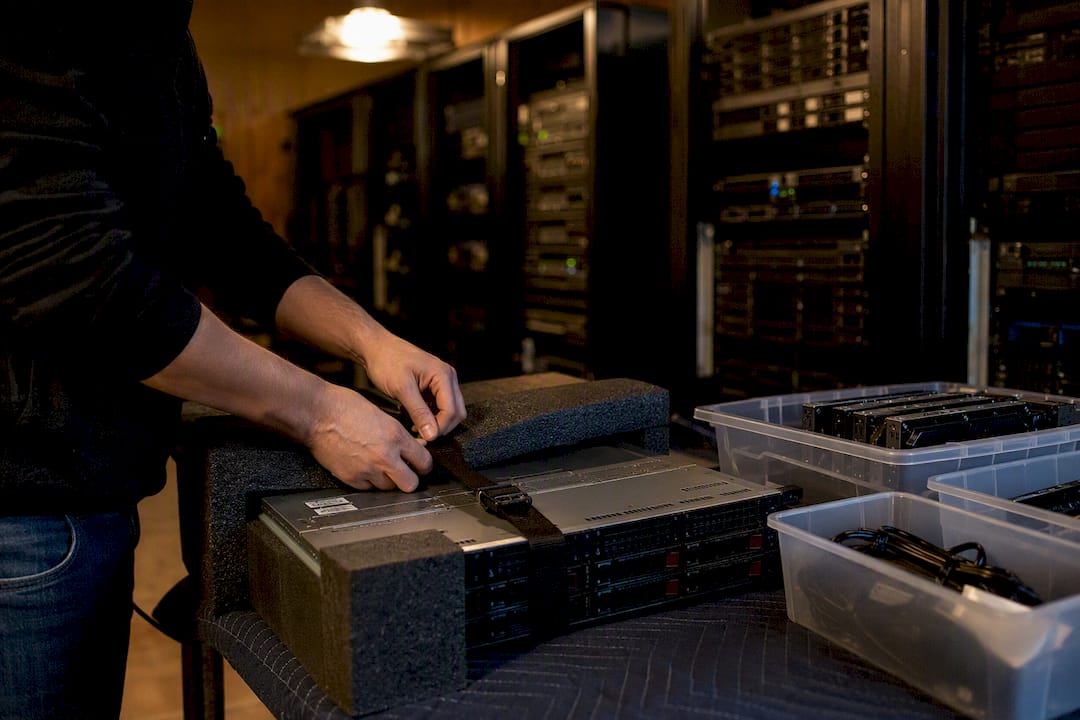
Servers and racks. Decide early whether to de-rack individual servers or move a populated rack as one unit. Populated racks save reassembly time but require rack straps and reinforced pallets to survive transit. Remove and separately bag any removable drives, label every server with its rack position, and wrap components in anti-static material. Heavy units need two-person lifts and firm securing against shifting.
Network gear and patch panels. Photograph and document every cabling run before disconnecting anything. Pack SFPs and spare modules in labeled bags. Nothing wastes more time on setup day than guessing which cable went where.

Desktops and laptops. Image or back up data first. Remove batteries where the manufacturer allows it, and use padded crates or IT-rated transport boxes rather than generic moving boxes.
Monitors. Use padded monitor boxes or foam sleeves and pack them face-to-face to avoid pressure points on the screen. A crushed corner on a stacked monitor box is one of the most common and preventable move-day losses.
Peripherals and cables. Bag and label every power adapter, dock, and cable. Desk-mapping labels or QR codes tied to a spreadsheet preserve which cable belongs to which workstation, which saves hours during reinstallation.
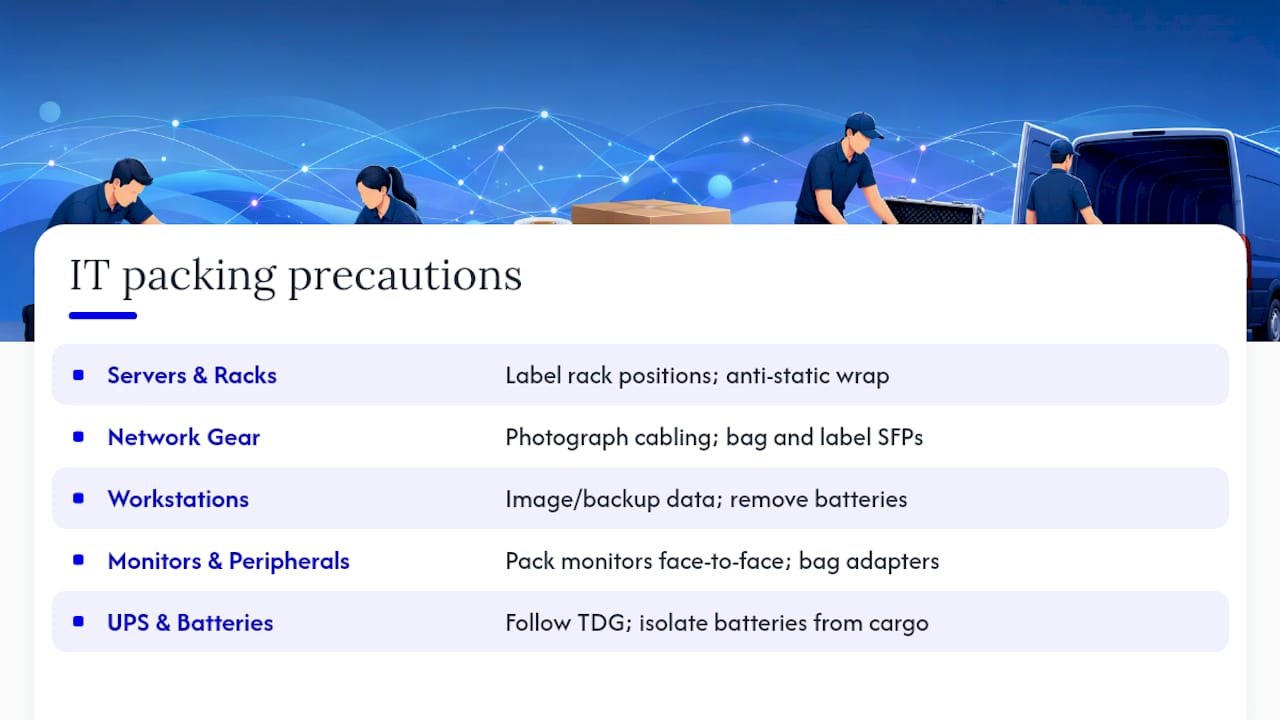
UPS units and batteries. Lithium and sealed lead-acid batteries fall under transport regulations. Follow Transportation of Dangerous Goods (TDG) guidance, isolate batteries from other cargo, and document the shipment.
Pro Tip: Run your two-pass file sync the night before the move, then reconcile your hardware inventory against the packing list one final time. Catching a missing drive at the loading dock beats discovering it at the new office.
What’s the Safest Way to Transport IT Equipment?
Physical transport is where good planning either pays off or falls apart. Vehicle choice matters more than most IT managers assume: air-ride suspension vehicles reduce the shock and vibration that damage hard drives and sensitive components, and a direct route beats a multi-stop hub transfer for anything high-value. Split your load across more than one vehicle when possible. It’s a simple form of redundancy against a single accident or mechanical failure.
Securing the load matters as much as the vehicle. Padded cases, strapped pallets, and rack sacks keep equipment from shifting. Tamper-evident seals on crates confirm nothing was opened in transit, which matters both for security and for insurance claims later. Environmental control counts too: avoid leaving equipment in a hot van or unheated truck bed for hours, since temperature swings and humidity stress both hardware and batteries.
Use air-ride or vibration-dampening vehicles for racks and high-value gear.
Split loads across vehicles for redundancy on critical shipments.
Require sealed manifests and GPS or telematics tracking for chain of custody.
Enforce two-person lifts for anything over a manageable single-person weight, plus basic ESD precautions.
Pro Tip: Assign one person on each end (yours and the mover’s) as the sole handoff contact. Fewer hands touching the manifest means fewer gaps in the chain of custody.
How Should IT Systems Be Reinstalled After a Move?
Getting equipment to the new site safely is only half the job. How you bring it back online determines whether your team spends the next morning working or troubleshooting.
Before anything arrives, confirm the destination is genuinely ready: power circuits tested, network drops active, cable routes clear, rack space measured, and access badges or keys issued.
Reinstallation order matters:
Network infrastructure first: switches, routers, and firewalls, so everything downstream has connectivity to test against.
Servers next, powered up and verified before you touch endpoints.
User workstations and peripherals last, once the backbone is confirmed stable.
Run a structured test plan at each stage: connectivity checks, login and authentication tests, application smoke tests, and email send/receive confirmation. Spot-check performance against your pre-move benchmarks so you catch a bottleneck before users do.
Keep old systems powered and accessible for 48 to 72 hours as a fallback during DNS or configuration propagation.
Never flip DNS or final cutovers until you’ve verified everything works on the new setup, since high TTL values can leave some users pointed at the old server for hours.
Document everything: signed handover sheets, photos of installed racks, and an evidence pack in case you need to file an insurance claim.
What Insurance and Compliance Steps Protect IT Equipment in Transit?
Even a well-executed move needs a paper trail, both for compliance and for your own protection if something goes wrong.
Batteries and hazardous materials come with real rules. UPS units and lithium batteries fall under TDG shipping regulations, and airlines apply their own restrictions for anything flying. Document every battery shipment and isolate it from general cargo.
Data security doesn’t pause during a move. Data-bearing drives need a documented chain of custody the entire way, and sensitive assets deserve encryption or a physical wipe plan before they leave the building.
Confirm goods-in-transit insurance limits before booking, and ask your mover for signed delivery records and a documented evidence pack.
Pre-agree liability caps in writing, not verbally, so there’s no ambiguity if a claim comes up.
Reference relevant business-continuity standards when setting your downtime and testing windows. It gives you a defensible answer when leadership asks why the move takes as long as it does.
Keep asset manifests, timestamped photos, and signed handoffs on file. Claims move faster with a complete paper trail than without one.
Your Printable IT Move Checklist
Save this as your working reference or hand it straight to a project lead.
Pre-move: Complete inventory, verified backups, confirmed destination readiness, labeled equipment, spare-parts kit packed.
Move day: Signed manifest before loading, secured and sealed transport, ESD precautions enforced, two-person lifts for heavy items.
Post-move: Install in order (network, then servers, then endpoints), run smoke tests, keep old systems live as a safety net, collect photos and signed handoffs for any insurance claim.
A Mover’s Take on What Actually Goes Wrong
The failures I see most aren’t dramatic. They’re small: a mislabeled cable box, a backup nobody actually verified, a building access badge that wasn’t ready. Atlaskings has built its process around closing those specific gaps, not around flashy equipment. On move day, insist your mover confirms the manifest before loading and reconfirms destination access before the truck leaves.
Get Professional Help Moving Your Office IT Equipment
Atlaskings is the practical alternative to piecing together your own crew, rented van, and packing materials for an IT move where downtime and data loss carry real business cost.

We handle transport, in-house delivery, and small moves under flat-rate and itemized pricing, so you know the cost before the truck shows up, not after. That matters more for IT equipment than almost anything else in an office: a surprise fee on a couch is annoying, a surprise fee on a server rack move is a budget problem. Our team brings padded box rentals suited to monitors and workstations, plus documented handoffs that double as your evidence pack if anything needs an insurance claim later. For heavier racks or bulk lifts, our office furniture disposal experts provide secure removal and disposal services designed for heavy loads like server racks. If you’re ready to see what a move looks like on your timeline, book a quote through our transport page and get a straight answer on cost and scheduling.
Sources
For server and software migration specifics, the server migration checklist covers inventory and DNS cutover risk in depth. For continuity planning, the ISO business-continuity reference offers a framework for justifying downtime windows. For physical relocation and booking, visit Atlaskings directly.
Recommended
Comments